Wizard of Bingo
- 4.7
- Rating
- 1.00M
- Installs
- Free
- Price
 Analysis by App-foxy
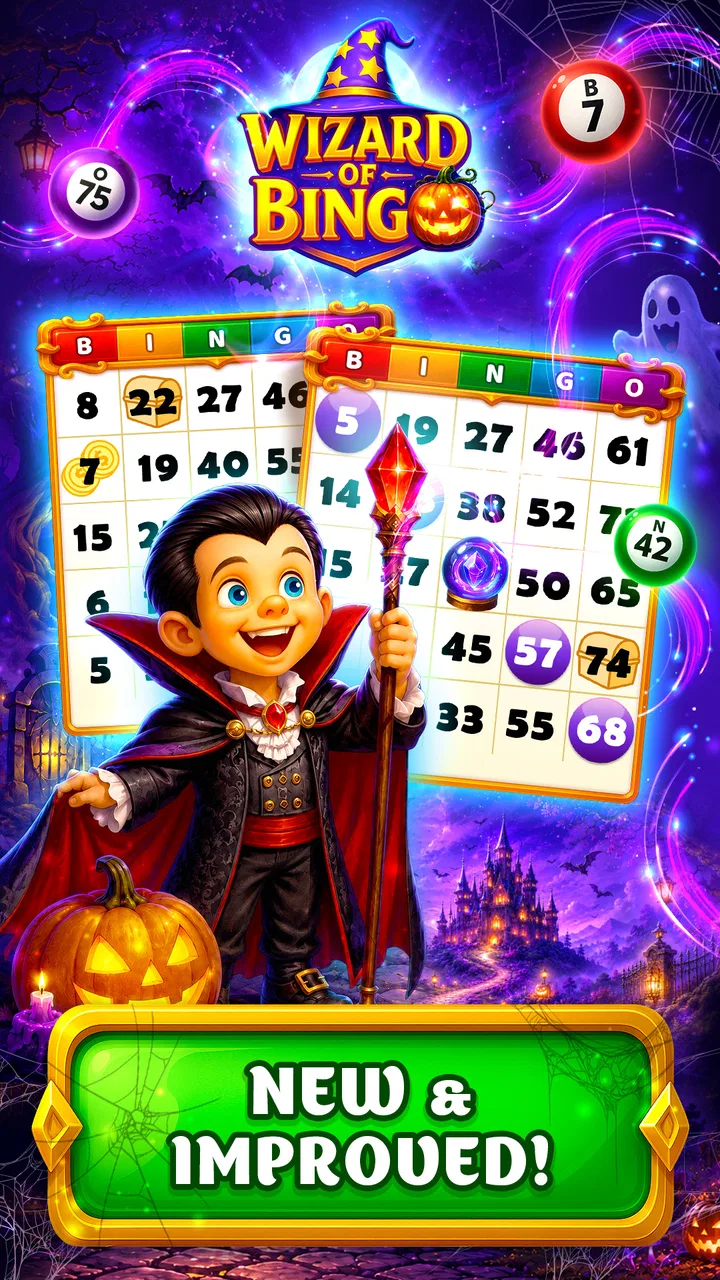
Wizard of Bingo is the kind of board game I can open when I want something familiar but less passive than watching a video. It takes the recognizable bingo format and gives it a magical theme, making each round feel more like a small game session than a simple number-calling exercise. I found it easiest to enjoy in short bursts, especially when I had a few spare minutes and wanted a low-pressure distraction.
Developed by Dynamic Games Ltd., this free game sits in the board category and is aimed at Teen players. Its public reception is notably strong, with a 4.7 average from around 61 thousand ratings, while its reach has passed one million installs. Those figures suggest that the basic concept works for a broad audience, but popularity alone does not tell you whether it suits your habits. The important question is whether you want traditional bingo presented with a more game-like atmosphere, or whether you prefer a quieter, purely classic version.
How the game feels during ordinary play
The main appeal is immediate familiarity. You do not need to learn a complicated ruleset before starting, which makes Wizard of Bingo approachable even if you have not played a mobile bingo game recently. The wizard theme gives the presentation its identity, but the underlying appeal remains the rhythm of watching the board, spotting useful numbers, and deciding how much attention to give each round.
You May Also Like

 Blood Strike: 2.5 Anniversary
Blood Strike’s Loadouts Turn Every Drop Into a Tactical Gamble
A close look at Blood Strike’s custom loadouts: how fast access to signature weapons reshapes its battle royale rhythm, rewards preparation, and narrows the gap between fights.

 Pandora - Music & Podcasts
Pandora’s Music Is Easy to Start, but Harder to Recover
Pandora’s strength is its low-effort path from a seed to a station. Its weak spot is how much confidence it asks you to place in connection, setup, and quiet recovery.

 8 Ball Pool
 Is Built on Rivalries, Rematches, and Routine
A close look at the rivalries, rematches, shared routines, and unanswered safety questions that turn a quick pool match into a persistent mobile community.

 Samsung Music
’s Quiet Strength Is Playing What You Already Own
Its reach comes less from spectacle than from dependable access to a personal library. That simplicity is both the app’s strongest retention engine and its ceiling.

 AccuWeather: Weather Radar
AccuWeather Review: A Quick, Clear Forecast for Everyday Decisions
For everyday plans, the best forecast is the one you can understand quickly. AccuWeather makes rain timing, radar, and local conditions easy to act on, with a few trade-offs.

 Hill Climb Racing
Why Hill Climb Racing Still Turns Crashes Into One More Run
A tiny car, a bumpy hill and one more upgrade: Hill Climb Racing keeps resurfacing because its simple chaos makes every near-miss feel personal.
More From Our News Desk



I think that simplicity is especially valuable on a phone. A board game that demands too much explanation becomes awkward when played in short sessions, while this format is easy to understand from the first few moments. It works well when you are waiting for an appointment, taking a break between tasks, or relaxing at the end of the day without wanting a demanding strategy game.
At the same time, the familiar structure can be a limitation. If you expect deep tactical planning, a large campaign, or the constant variety of a competitive action game, this will probably feel modest. Its strength is not complexity. Its strength is turning a well-known pastime into a themed mobile experience that is easy to pick up.
Speed expectations on a typical phone
My first impression is that the game is built around quick decisions rather than long preparation. That matters because bingo loses much of its charm when every action is surrounded by unnecessary waiting. The short-session design makes it suitable for checking in briefly, playing a round, and putting the phone away without committing to a lengthy gaming block.
Perceived speed here is also about mental pace. The numbers and board demand enough attention to keep the session active, but not so much that I felt overwhelmed. I could glance away for a moment and return to the board without feeling as if I had missed an entire strategy phase. That balance makes it more comfortable than many board games that bury simple rules under menus and layered systems.
There is a useful distinction between fast play and rewarding play. A round moving quickly is not automatically better if it leaves no time to check the board. I prefer to keep my attention on the game rather than rush through it, so I would treat the pace as something to adapt to rather than a reason to tap constantly. Players who like a calm tempo may enjoy it more than those who want a very rapid arcade-style experience.
What happens during longer or heavier sessions
The experience changes when I play repeatedly instead of stopping after one or two rounds. The simple bingo loop is pleasant for a while, but repetition becomes more noticeable during extended sessions. This is not necessarily a flaw; it is a reminder that the game is best used as a compact entertainment option rather than as a substitute for a large, story-driven title.
For heavier use, I would pay attention to how the phone feels rather than assuming every device will behave identically. Older hardware, limited free storage, or many apps running in the background can make any mobile game feel less responsive. Wizard of Bingo is available for devices using Android 7.1 or later, so compatibility reaches back to older Android versions, but that does not guarantee the same smoothness across every phone.
A practical habit is to close demanding apps before a longer session and keep the device from becoming overly warm. This is useful with any mobile game, but it matters more when you plan to play several rounds in succession. If the game starts feeling sluggish, I would first pause, clear the immediate workload on the phone, and reopen it rather than repeatedly tapping through delayed responses.
The game also makes more sense as a background-friendly activity than as an all-evening marathon. I can imagine playing it while taking a coffee break, then returning later without losing the reason I installed it. That pattern reduces fatigue and helps the familiar bingo mechanics stay enjoyable instead of becoming repetitive.
Stability, interruptions, and getting back into a session
Reliability is important in a game based on attention. If an interruption causes confusion about the board or the current round, the experience becomes frustrating quickly. My advice is to treat it as a game for moments when you can give it at least a little uninterrupted focus, especially if you are trying to follow a round carefully.
Phone calls, notifications, switching between apps, and low battery can all affect the feeling of continuity. The safest workflow is simple: finish a round before moving to another task when possible, and avoid starting one immediately before you know you will need the phone for something else. That is a small adjustment, but it makes the game feel more dependable in everyday use.
If you leave the game unexpectedly, reopening it is the sensible first step before assuming anything has gone wrong. I would also avoid relying on a mobile game as the only activity during a long trip or a situation where connectivity and battery are uncertain. Keeping expectations realistic is part of using it comfortably: it is a casual board game, not a replacement for a dedicated offline tabletop set.
One area that deserves attention is spending. The game is free to start, but optional purchases range from $0.99 to $199.99 per item. That is a wide span, so I would recommend deciding on a personal limit before exploring any purchase screen. The free entry point is helpful, yet the presence of expensive individual items means the game is better suited to players who can comfortably ignore optional spending when they do not want it.
Device limits and practical comfort
The Android requirement of 7.1 or later makes Wizard of Bingo accessible to people who are not using the newest phone. Still, operating-system compatibility is only the first check. Screen size, touch accuracy, battery condition, and available storage can change how pleasant a board game feels. A cramped display may make it harder to follow numbers, while a worn battery can turn a relaxed session into a search for a charger.
I would also consider who else uses the device. On a shared phone or a family tablet, the Teen content rating is worth keeping in mind. The rating does not automatically make the game unsuitable for every younger player, but it does mean parents should make their own decision rather than treating the title as a children’s game simply because bingo is familiar.
Resource demands are best judged by use rather than by assumptions. A short session is unlikely to feel like the same commitment as running a graphically intense action game, but longer play can still expose weaknesses in an older device. If your phone already struggles with ordinary multitasking, you may notice delays sooner than someone using newer hardware. In that situation, a physical bingo set or a very lightweight alternative may be a better fit.
Another practical point is attention. Since the game is based on tracking numbers, playing while walking, commuting through crowded areas, or handling other tasks is not a good idea. The board may be simple, but it still rewards looking carefully. I get more from it when I give the screen a few focused minutes instead of treating it as something to operate blindly in the background.
Small habits that make the game more enjoyable
My first useful tip is to use it as a scheduled break rather than an endless feed. Choosing one or two rounds between work tasks gives the game a clear purpose and prevents the repeated structure from wearing thin. It also makes the quick access feel like a strength instead of a temptation to keep playing without noticing the time.
Second, I would separate entertainment value from purchase value. The free starting point lets you decide whether the core bingo rhythm suits you before spending anything. If you enjoy the game without buying extras, that is a good sign that it fits your habits. If the experience only feels worthwhile after considering expensive items, I would step back and compare it with a free physical or simpler digital bingo option.
Third, use the device itself as part of your preparation. A stable connection where needed, enough battery for the session, and fewer background apps can make the game feel more responsive. These are not magical performance tricks, but they are realistic ways to reduce avoidable friction on older Android phones.
Finally, think about the social setting. Wizard of Bingo is easy to explain to a friend who already understands bingo, so it can work as a shared conversation starter even when each person is using their own device. However, it is not the same as sitting around one physical board. If your goal is face-to-face interaction, a tabletop set may create a warmer experience; if your goal is convenience, the phone version wins.
Who should choose it, and who should skip it
I would recommend Wizard of Bingo to players who like recognizable board-game rules, themed presentation, and short sessions. It is a good match for someone who wants a casual game that can be understood quickly, or for a bingo fan who wants the format available without carrying cards and markers.
It may also suit people who dislike fast reflex games. The focus is on noticing the board and following the round, not on steering a character or memorizing a complicated control scheme. That makes it approachable for players who want activity without pressure from demanding action mechanics.
I would be more cautious about recommending it to anyone who wants a deep campaign, a highly strategic board game, or a completely purchase-free experience. The repeated bingo structure can feel limited during long sessions, and the in-app purchase range is significant enough to require self-control. Players who prefer games with a fixed upfront price may feel more comfortable with a premium board title instead.
It is also not my first choice for a group that wants everyone gathered around one shared screen. A physical bingo set is better for that purpose because the social interaction is built into the format. Wizard of Bingo is strongest when convenience, quick access, and solo mobile play matter more than recreating the full tabletop atmosphere.
How it compares with familiar board-game alternatives
Compared with traditional bingo, the phone version is more convenient but less tangible. You do not need cards, markers, or a table, and you can start during a short break. The trade-off is that the screen becomes the entire playing surface, which can feel less social and less satisfying for people who enjoy handling physical pieces.
Compared with complex digital board games, it is easier to learn and less mentally demanding. That is a real advantage when I want a relaxing session, but it also means there is less room for long-term strategic mastery. Someone who enjoys planning several turns ahead may prefer a digital adaptation of a strategy-heavy tabletop game.
Compared with action-oriented mobile games, it is gentler and usually easier to pause mentally between rounds. It does not offer the same excitement, visual intensity, or mechanical variety, but it also does not ask for the same level of reflexes. The right choice depends on whether you want calm concentration or constant stimulation.
The strongest comparison is perhaps with free-to-play casual games generally. Wizard of Bingo has an approachable entry point, but the purchase range means I would keep an eye on spending more carefully than I would with a completely offline game. The best way to enjoy it is to treat optional purchases as optional, not as a requirement for deciding whether the basic game is fun.
What the edition and developer details mean in practice
The game was released on August 28, 2016, and its current version is 20.10.200. For me, that combination suggests a title with a long presence on mobile rather than a brand-new experiment. The version number is useful when checking whether your installation is current, particularly if you are troubleshooting behavior after changing devices or updating Android.
Dynamic Games Ltd. has kept the title visible enough to build a substantial player base, and the strong rating indicates that many users find the central experience satisfying. I would still avoid interpreting the rating as a promise that every session will feel fresh. A high average can coexist with the natural limitations of a simple, repetitive game loop.
On a technical level, the most important expectation is not flagship-level graphics. This is a board game designed around readable interaction and repeated rounds. That should make it a more sensible candidate for an older compatible phone than a modern 3D game, although individual performance will still depend on the device’s condition and background workload.
Recovery matters more to me than raw speed in this type of game. If I am interrupted, I want returning to the game to feel straightforward. I would therefore install it on the device where I actually plan to play, keep the system reasonably maintained, and avoid judging it during a moment when the phone is already overloaded. Those steps give a fairer picture than comparing it with a freshly restarted handset.
My final view after weighing the trade-offs
Wizard of Bingo succeeds because it understands the value of a familiar game that can be opened quickly. The magical theme gives ordinary bingo a clearer identity, while the board format keeps the learning curve gentle. I see it as a useful companion for short breaks, quiet evenings, and players who want light concentration without action-game pressure.
Its limitations are equally clear. The core activity may become repetitive during long sessions, it is not a substitute for a social physical bingo night, and the in-app purchase range calls for a deliberate budget. Older or heavily loaded devices may also provide a less comfortable experience than newer phones, even though Android 7.1 or later is supported.
My recommendation is positive, with sensible boundaries. Try it if you enjoy bingo and want a free mobile version with a fantasy flavor. Start without spending, play in focused short sessions, and see whether the basic rhythm holds your attention. If you need deep strategy, guaranteed group interaction, or a fully fixed-cost experience, another board game will serve you better. For everyone else, Wizard of Bingo is a pleasant, accessible choice whose real strength is convenience rather than complexity.
FAQs for Wizard of Bingo
01What is Wizard of Bingo, and how is the game played?
Wizard of Bingo is a themed bingo game that combines traditional number-matching gameplay with magical visuals, character progression, and special effects. After choosing a bingo card, you mark called numbers and try to complete the required pattern before the round ends. Depending on the mode, you may also use power-ups, collect rewards, and progress through different fantasy-inspired stages.
02Is Wizard of Bingo free to download and play?
Wizard of Bingo can generally be downloaded and played for free, although it may include optional in-app purchases. These purchases can provide extra credits, boosters, tickets, or other resources that help you continue playing more easily. You do not necessarily need to spend money to enjoy the main game, but free resources may be limited and some progress systems can encourage occasional purchases.
03Does Wizard of Bingo require an internet connection?
An internet connection may be required for several important features, including account synchronization, daily bonuses, events, advertisements, leaderboards, and in-app purchases. Some basic gameplay could be available temporarily while offline, but the experience may be limited without a stable connection. If the game does not load correctly, checking your Wi-Fi or mobile data is a useful first step.
04Are there advertisements or age restrictions in Wizard of Bingo?
Wizard of Bingo may display advertisements, particularly for players using the free version. Ads can sometimes be watched voluntarily in exchange for additional rewards, while others may appear between activities or rounds. Because the game uses in-app purchases and may include social or promotional features, parents should review the store rating, privacy information, and device settings before allowing younger players to use it.
05What should I know about account progress and in-app purchases before downloading?
Before starting Wizard of Bingo, it is worth checking whether progress is connected to a platform account, social login, or the device itself. Linking an account can help protect your progress if you change phones or reinstall the game. Also review purchase settings carefully, since virtual currency and boosters may be bought with real money and refunds are normally governed by the Google Play or App Store policies.
Pros
- Easy-to-learn bingo gameplay suitable for casual players.
- Bright wizard-themed visuals make each session feel lively.
- Short rounds work well for quick breaks or commuting.
- Multiple rooms provide variety as you unlock more content.
- Helpful power-ups can improve your chances during difficult rounds.
Cons
- Progress may feel slow without regular play or extra resources.
- Frequent rewards and pop-ups can interrupt the bingo flow.
- Some features may require an internet connection to function.
- Random number draws can make outcomes feel heavily luck-based.
- Advanced content may encourage optional in-app purchases.

Wizard of Bingo
Gallery